Ordering on their phone, no app
Customers open your website in their phone's browser and order. Nothing to download. They can order as a guest, or create an account with an email address.
This page lists only what works today. Features you switch on or off yourself are marked optional. Screenshots come from a demo shop, not a real customer.
Link won't open inside WeChat? Tap "···" at the top right and choose "Open in browser", or save the number.
DingOrder (叮单) is an online ordering system for independent takeaways and small restaurants in the UK, with no commission per order. Each shop gets its own ordering website, on a web address ending in .web.app (for example yourshop.web.app) or its own domain. Customers order collection, delivery or eat-in (by scanning a QR code on the table) on an ordering page in English or Chinese, which opens in the language of the customer's phone, and each order prints automatically on the kitchen printer. Shops pay a one-off fee for the kitchen printer and setup, then a flat monthly fee; card payments are processed by Stripe, which charges its own card fees. DingOrder is run from London: shops in London are set up in person, and shops elsewhere in the UK remotely.
In London, I come to your shop to set you up. Elsewhere in the UK, I post you the printer and set you up by phone or video call. The one-off £199 is the same everywhere in the UK, postage included. See the price.
Customers open your website in their phone's browser and order. Nothing to download. They can order as a guest, or create an account with an email address.
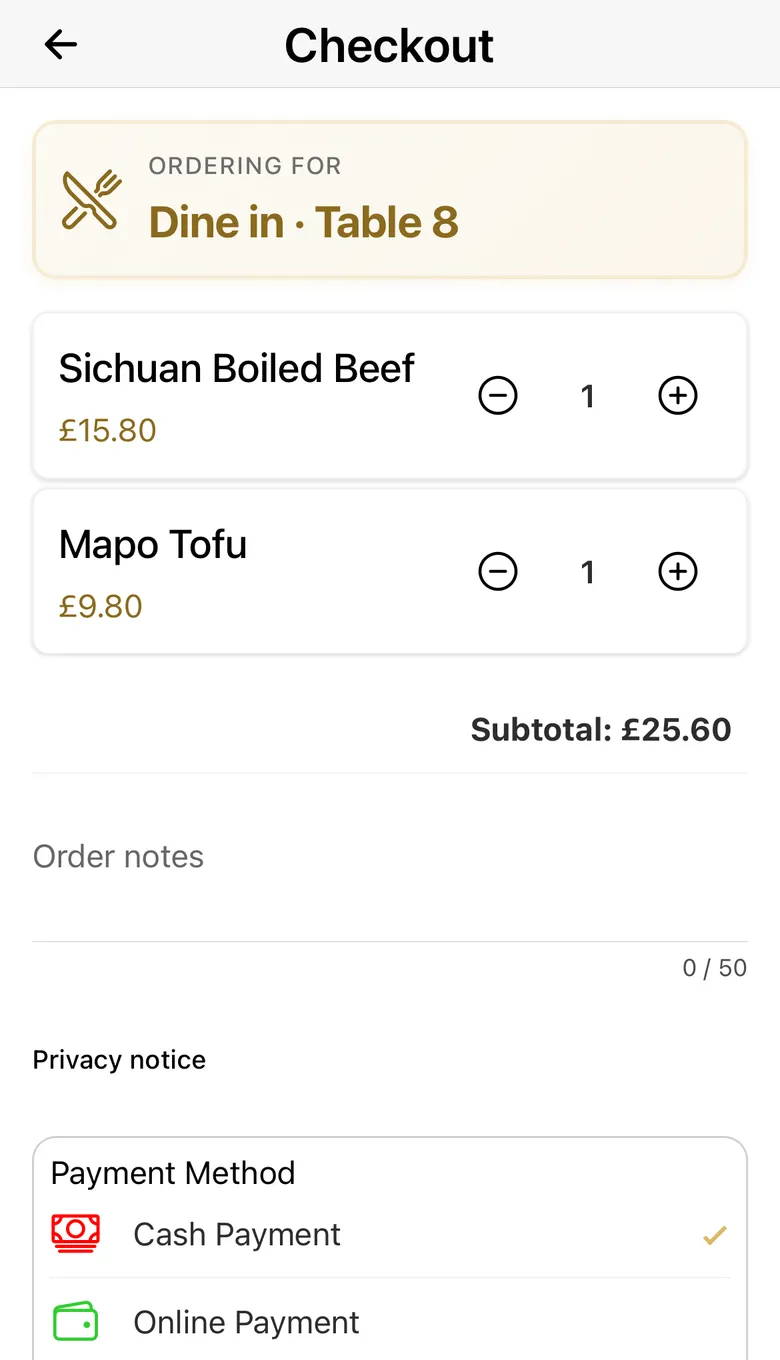
Put a QR code on each table. When a customer scans it, your menu opens with the table number already filled in. Checkout shows "Dine in · Table 8", and the table number prints on the kitchen ticket. Customers order from their seat and pay by card on their phone or with cash as usual: a card order prints once it's paid, and a cash order's ticket says "Not paid". Nobody has to write these orders down, so staff can spend less time taking orders. It doesn't replace your till, and your staff still serve the food and take the cash.
I give you a link for each table; you print the QR cards. There's no QR card maker in the system.
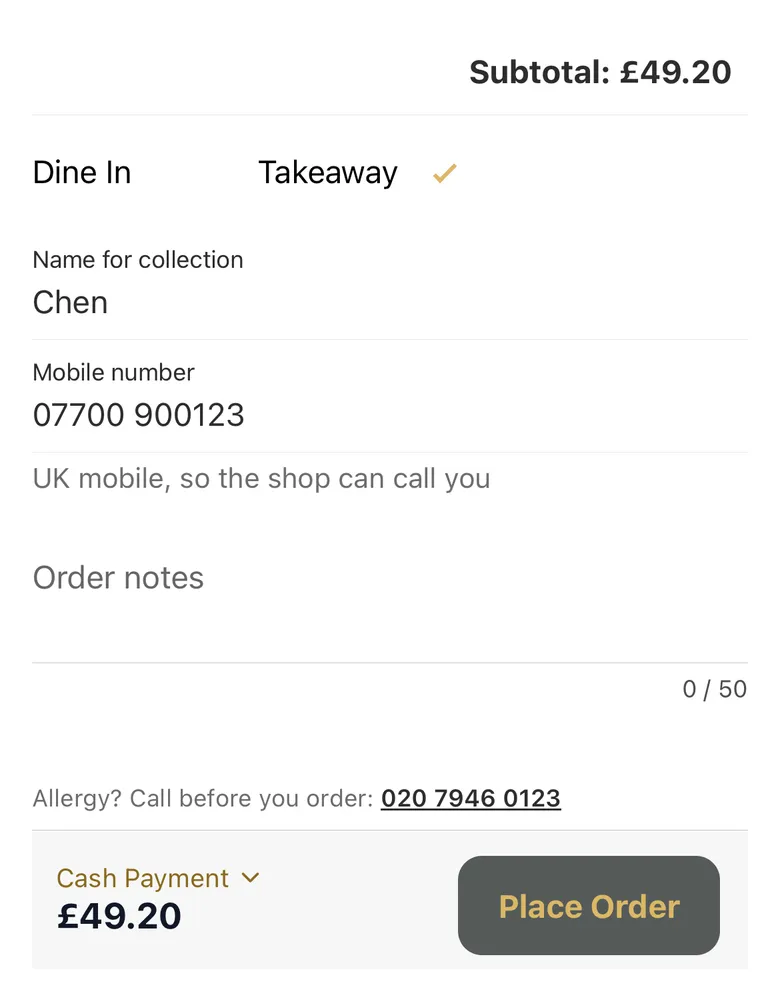
Customers choose collection and give a name and a UK mobile number. Both print on the ticket, so you can call them.
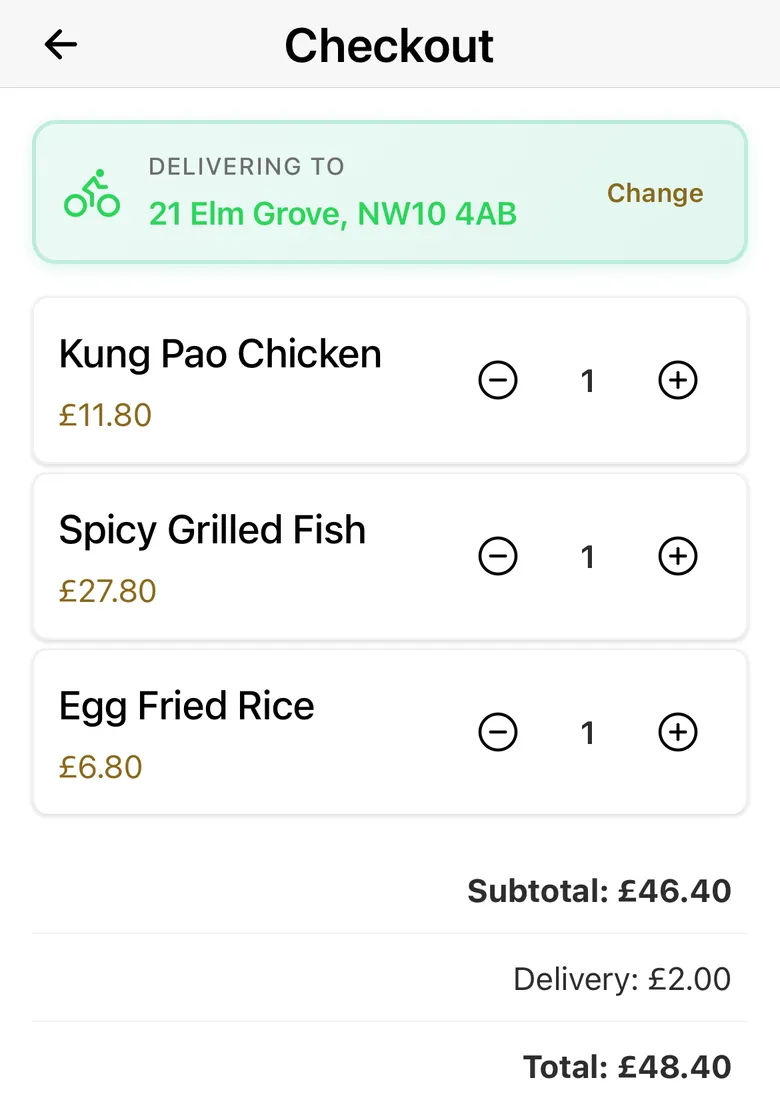
You set how far you deliver, the fee per mile, a cap on the fee, and up to five minimum-order rules such as "over 4 miles, minimum £30". The system measures each address by road and works out the fee. Addresses too far away can't order delivery.
If a customer cancels on the payment page, they go back to the menu and their basket is still there.
The menu opens in the language of the customer's phone. They can switch at any time with the language button at the top (中文 / EN). Each dish can have an English and a Chinese name. More on online ordering for Chinese takeaways.
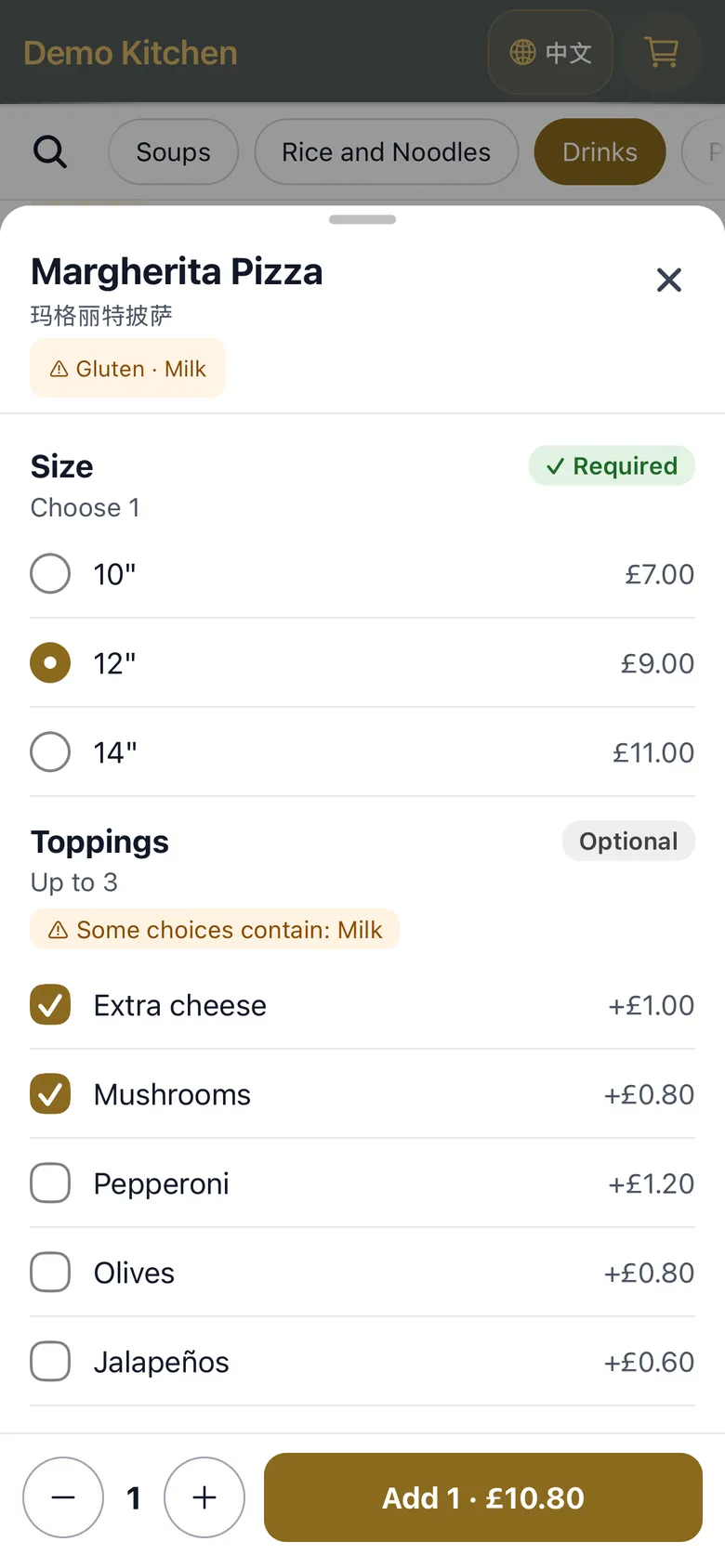
A dish can come in sizes, such as small and large or chicken, lamb and prawn, each with its own price. It can also have lists of choices: extras such as toppings or sauces, free or at a price, and, for a meal deal, what goes in it, such as two starters and two mains. Customers tap + and make their choices on one screen before the dish goes in the basket. Each choice prints on the kitchen ticket under the dish.
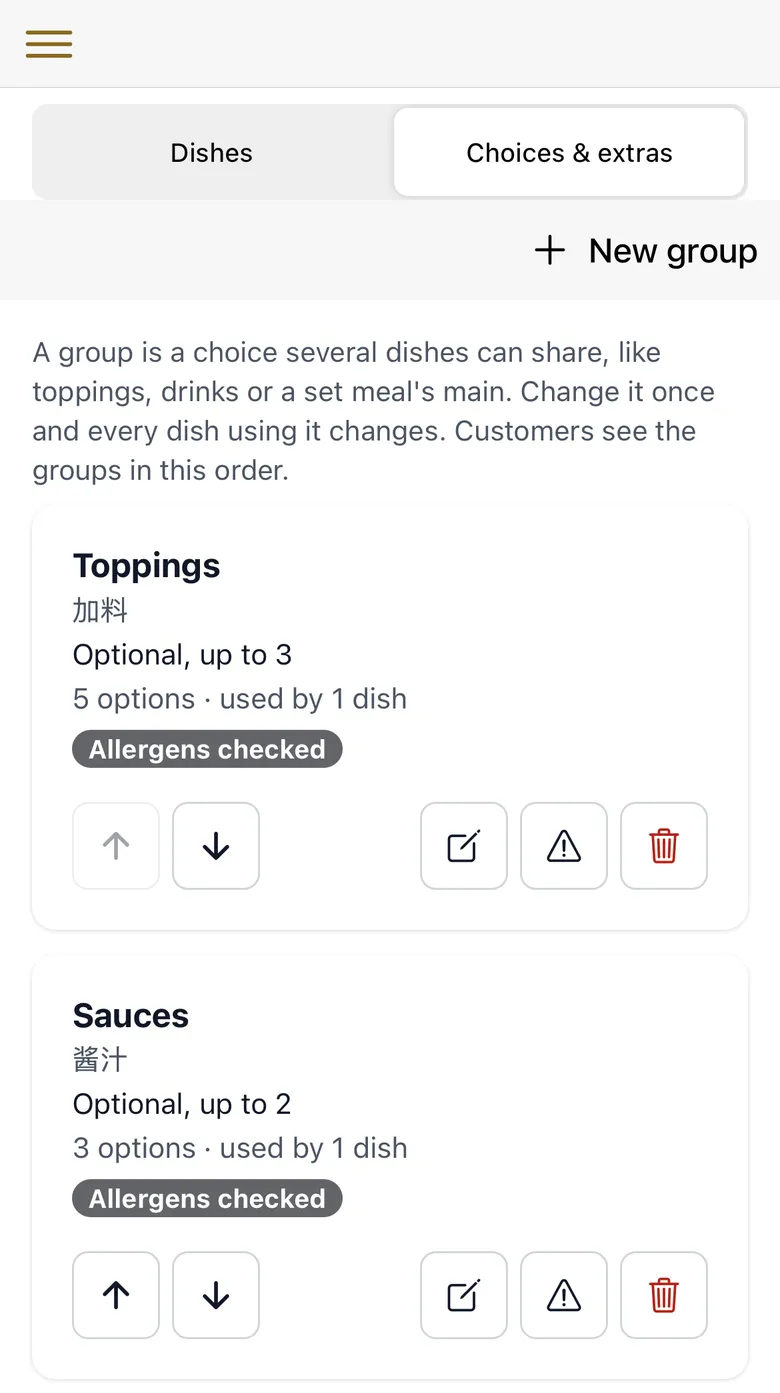
You set this up in the admin: a dish's Options button gives it sizes, and a list of choices is made once on the Choices & extras page and can be used by many dishes. Each list has its own allergen check, and customers see it while they choose. A list's allergens don't print on the kitchen ticket; a dish's confirmed allergens do. It can't do half-and-half pizzas, or an extra that costs more on a bigger size. How it works for pizza and kebab shops, Indian takeaways and fish and chip shops.
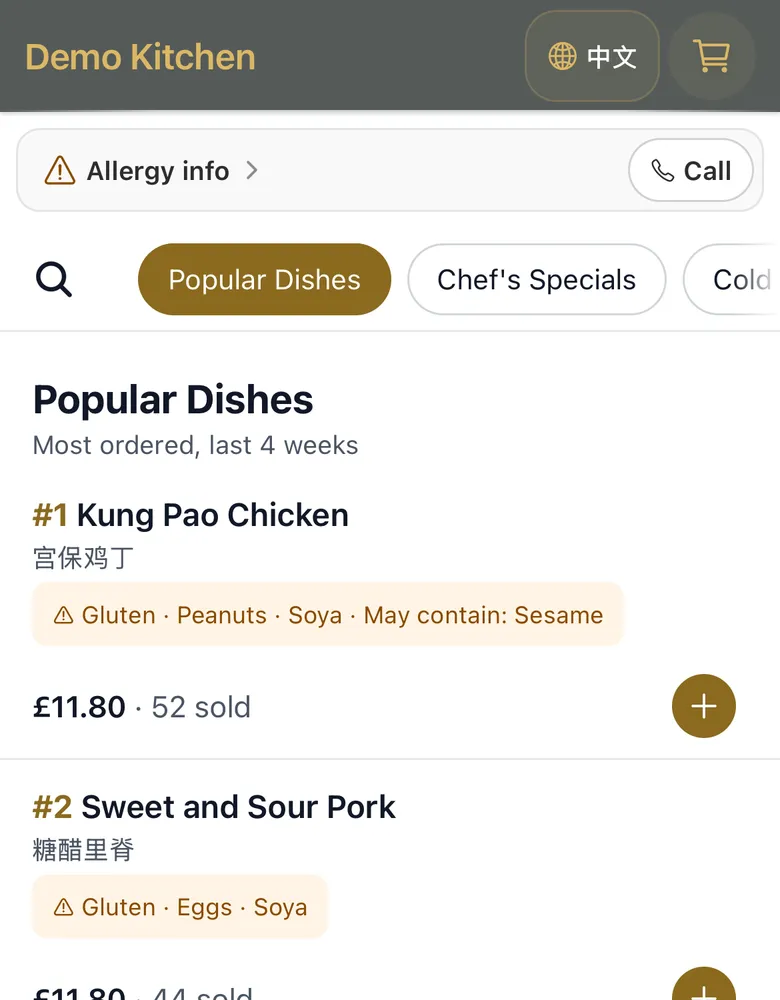
Every night the system looks at the last four weeks of orders and shows up to six best-selling dishes at the top of the menu, each with "N sold", once at least three dishes have sold five or more. You can leave categories such as rice or drinks out of this.
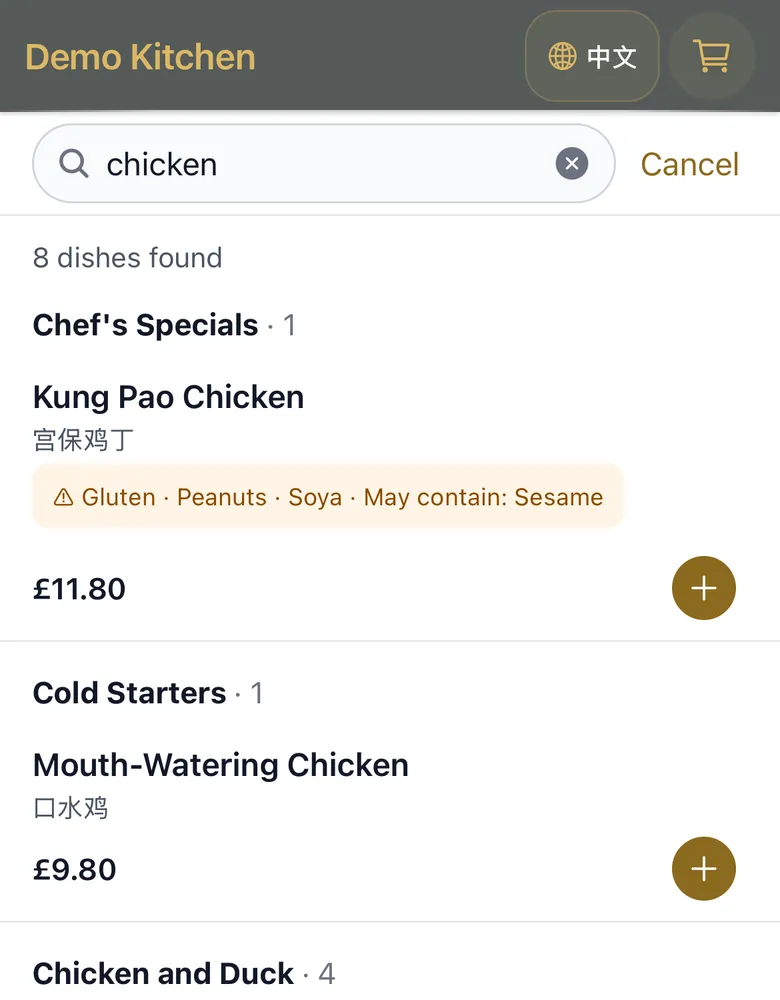
Switch this on and the menu becomes one list with category tabs across the top and a search box. Customers can search by English or Chinese dish name. Switched off, categories sit down the left side and there's no search.
When you're closed, the top of the menu says so, with your opening hours or the reason you gave. With the optional "only take orders during opening hours" switch on (it's on unless you turn it off), customers can't add dishes while you're closed.
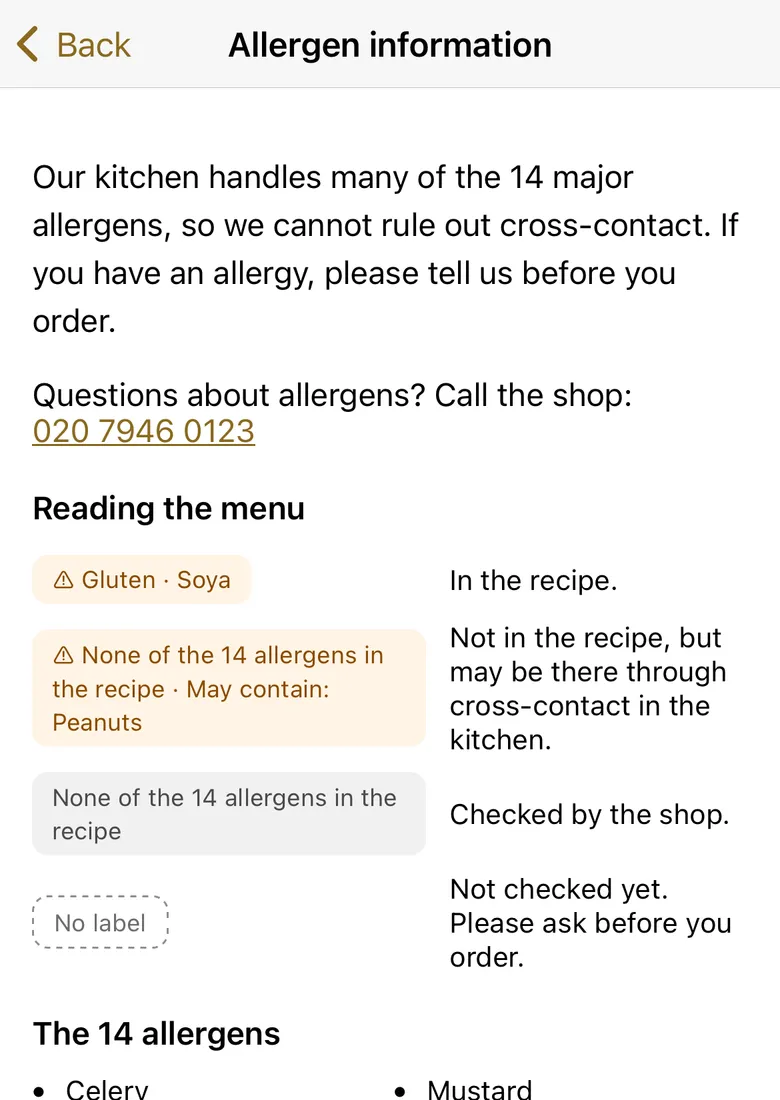
There's an allergen page explaining the 14 allergens and the tags on the menu. Tags show only on dishes you have checked and confirmed. Dishes you haven't checked show no tag. When the basket has a dish you haven't checked, checkout asks customers with allergies to call you before ordering. A dish's confirmed allergens also print on the kitchen ticket. Checking each dish is your job; the system shows what you confirm. For what the rules ask of food businesses, read the Food Standards Agency's allergen guidance for food businesses (checked 15 October 2026). What UK allergen rules ask of online takeaway orders.
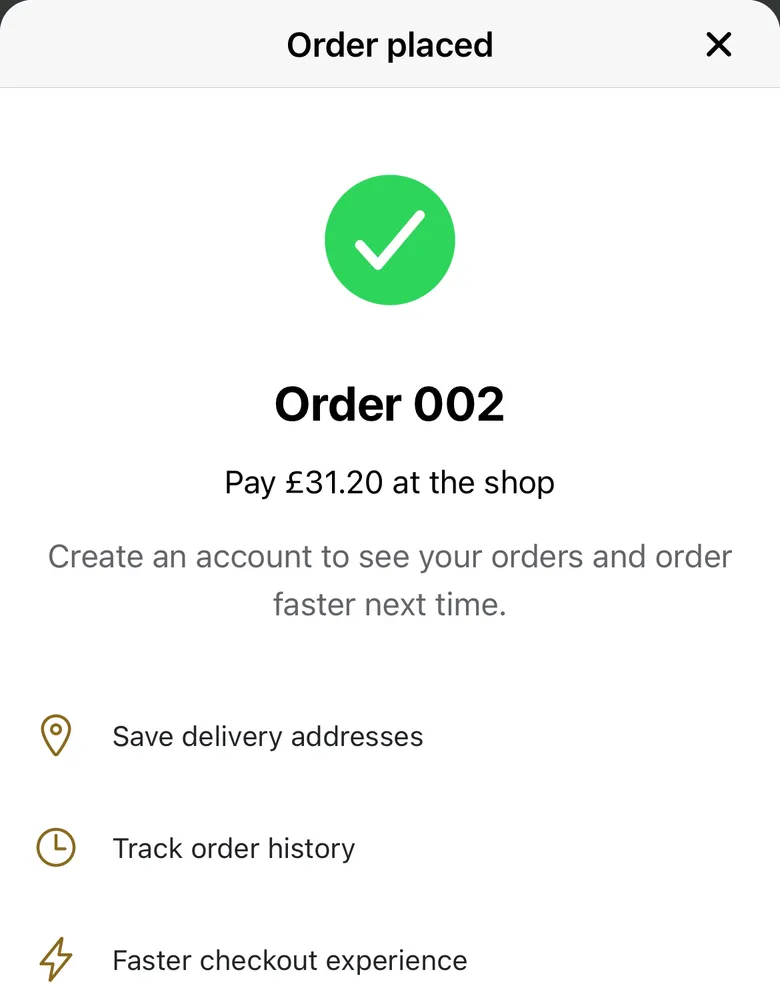
Customers can see their past orders and reorder in one tap. If a price has changed or a dish is no longer available, they're told before anything is added. Customers with an account can save several delivery addresses.
As soon as a customer orders, the ticket prints on your kitchen printer, in large bold text. The ticket shows the order number, the time, collection, delivery or eat-in, paid or unpaid, the table number or the customer's name and phone, the delivery address for deliveries, each dish and quantity, any confirmed allergens, notes and prices.
The kitchen printer is part of the one-off £199. It doesn't need a computer in the shop.
If a ticket didn't come out, press Print on that order in the admin. There's no alert when a ticket fails to print, so keep the admin's today's-orders page open during service. What to do if the printer runs out of paper.
Tickets print in English or Chinese, the same language as your admin. An English ticket uses your shop's English name and each dish's English name.
The admin works in English or Chinese. You pick the language in Shop settings, and the kitchen tickets print in the same language.
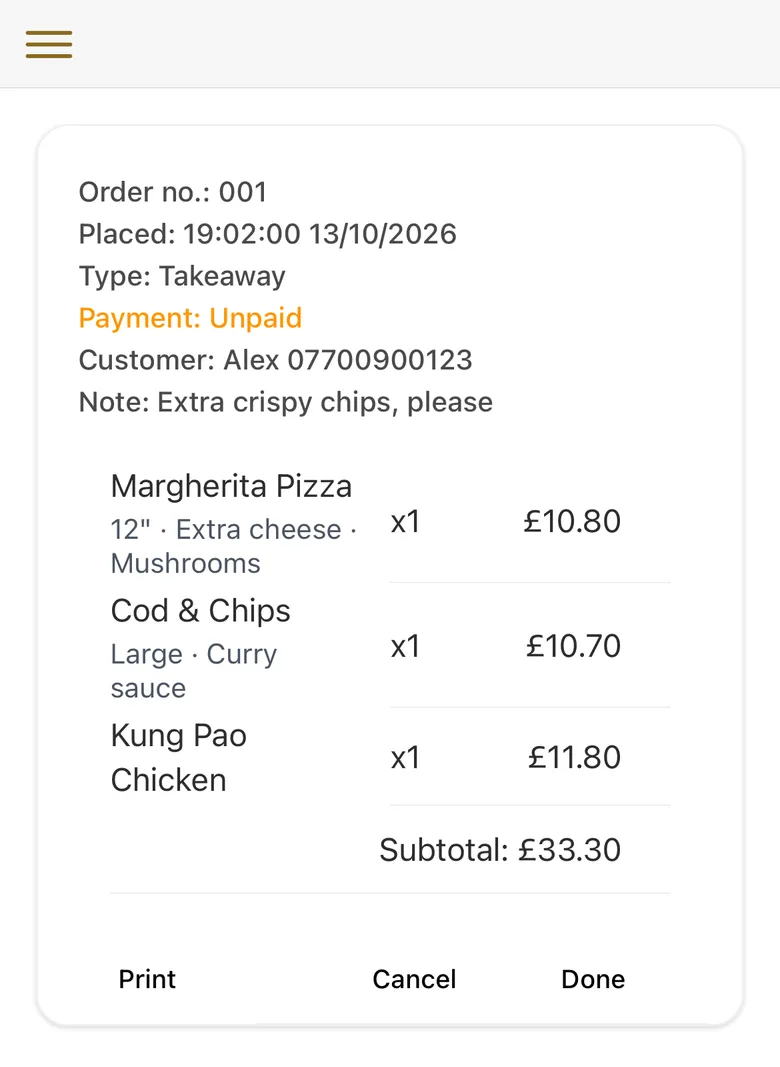
A live list of today's orders: order number, time, type, paid or unpaid, table number, customer name and phone, notes, dishes and totals, with the day's order count and takings at the bottom. Each order has three buttons: Print, Cancel and Done. There's no "accept order" step: tickets print straight away. Orders still open 45 minutes after they were placed are marked completed automatically (the check runs hourly from 11am to 11pm).
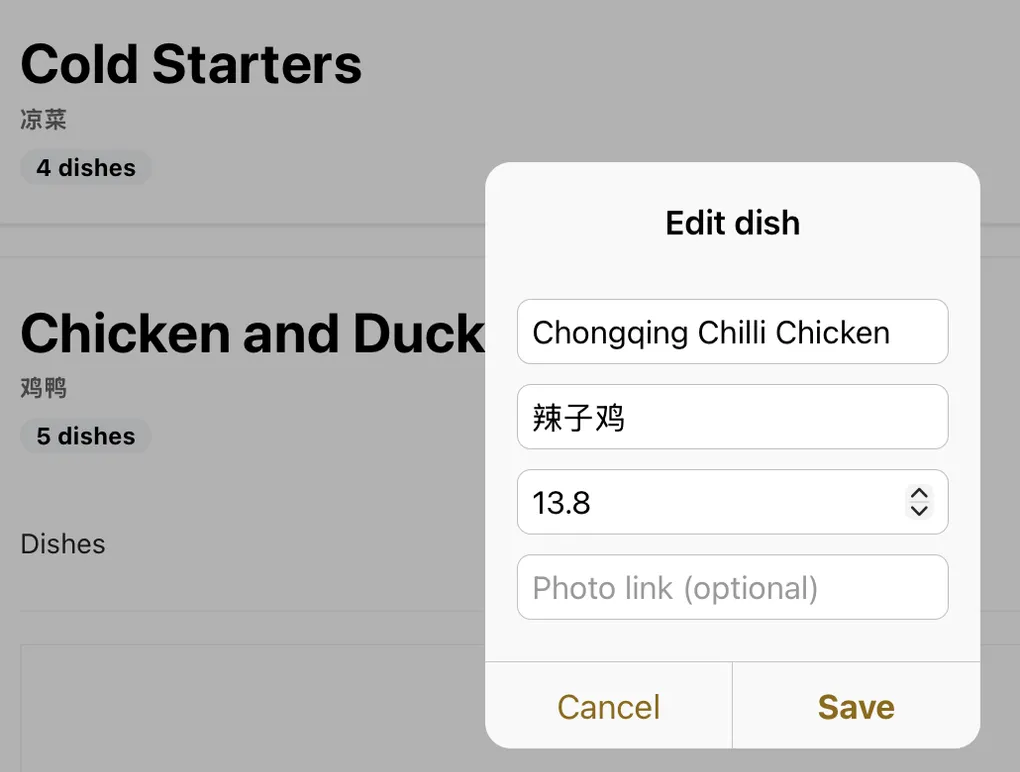
Add, edit and remove categories and dishes. Change a price. Mark a dish sold out with one tap (and back again). Dish photos are added by web link; there's no photo upload. Each dish shows whether you've checked its allergens.
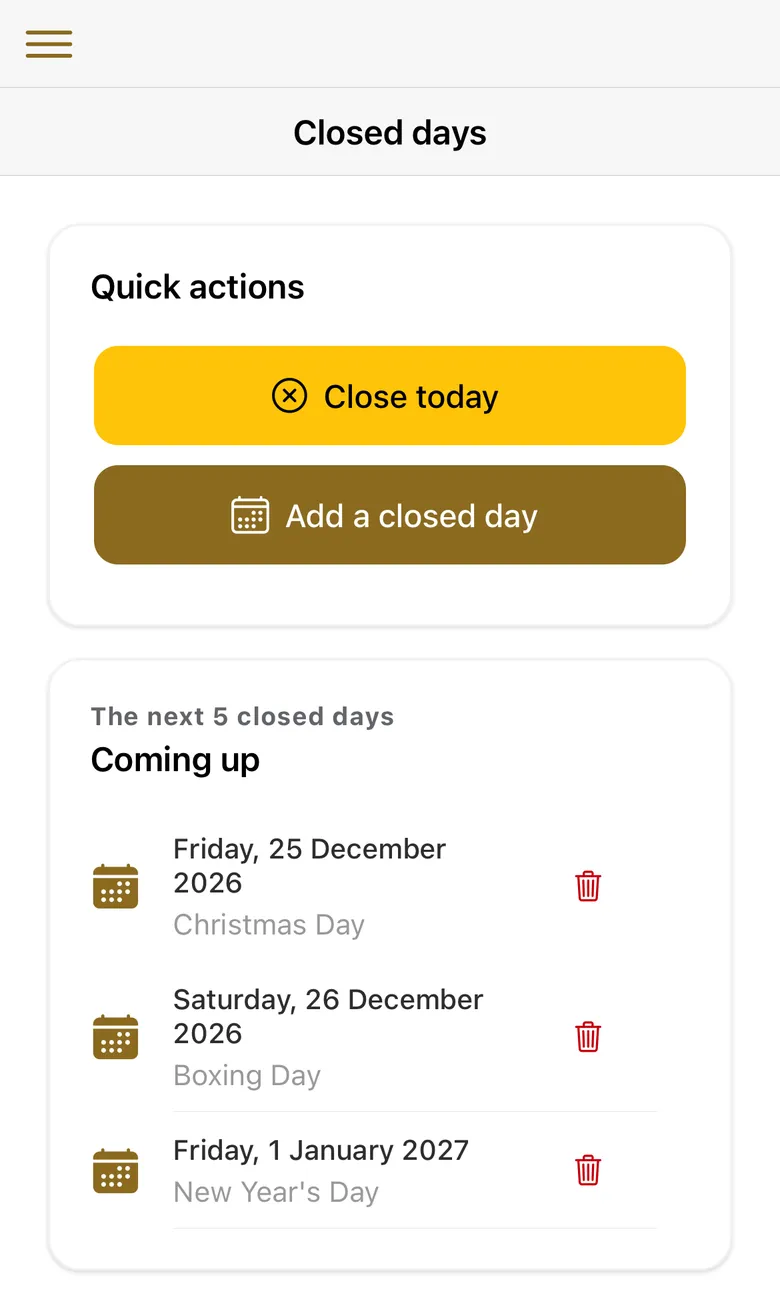
Close for today with one button, or add future closed days with a reason. Customers see the reason straight away.
Your shop's name, address and phone number; opening hours for each day (more than one session a day is fine); delivery radius, fee per mile, fee cap and minimum-order rules; your allergen statement; and the optional features below. Changes show to customers when they next load the page.
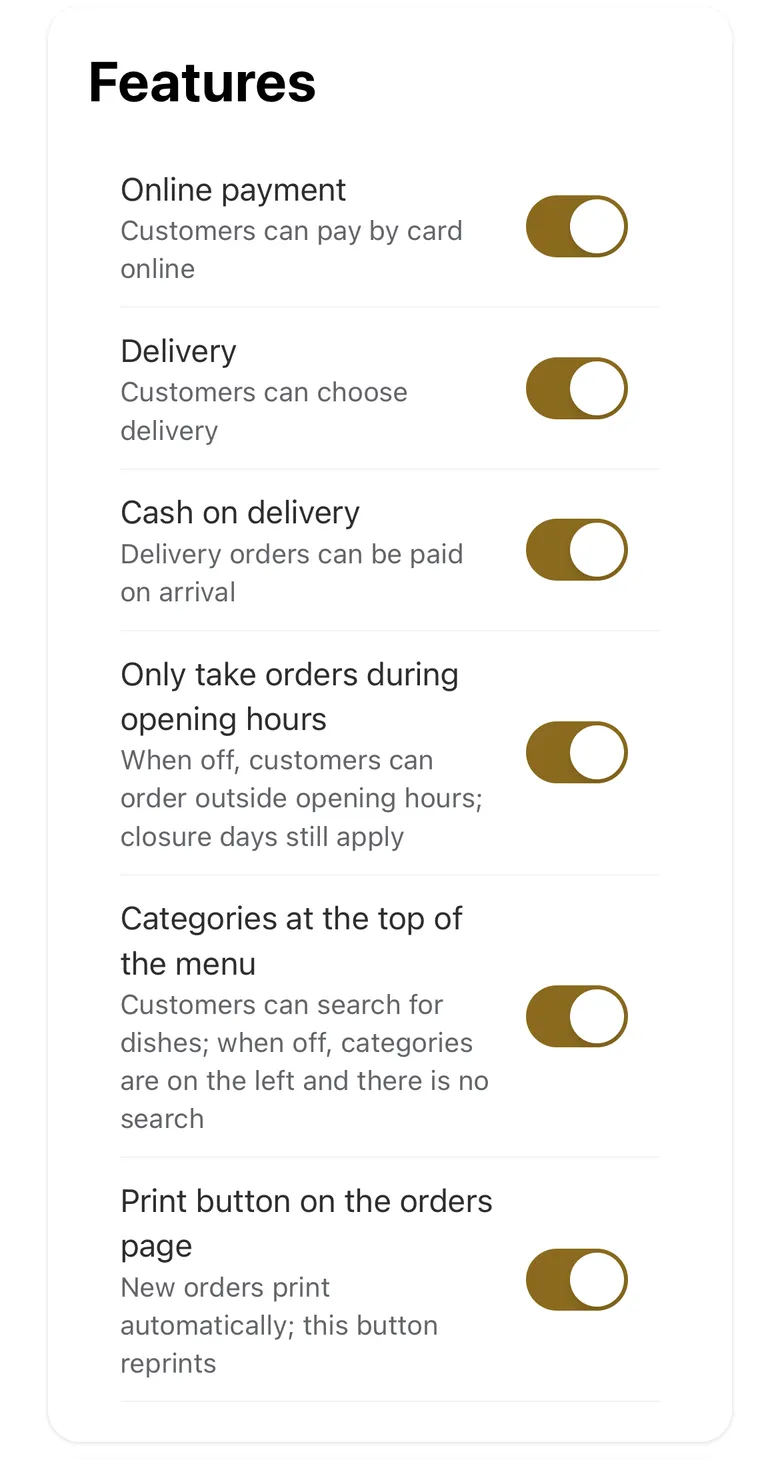
Optional features you switch on or off:
| Feature | Unless you change it |
|---|---|
| Online card payment | On |
| Delivery | On |
| Cash on delivery | Off |
| Only take orders during opening hours | On |
| Category tabs at the top, with dish search | Off |
| Print button on the orders page | On |
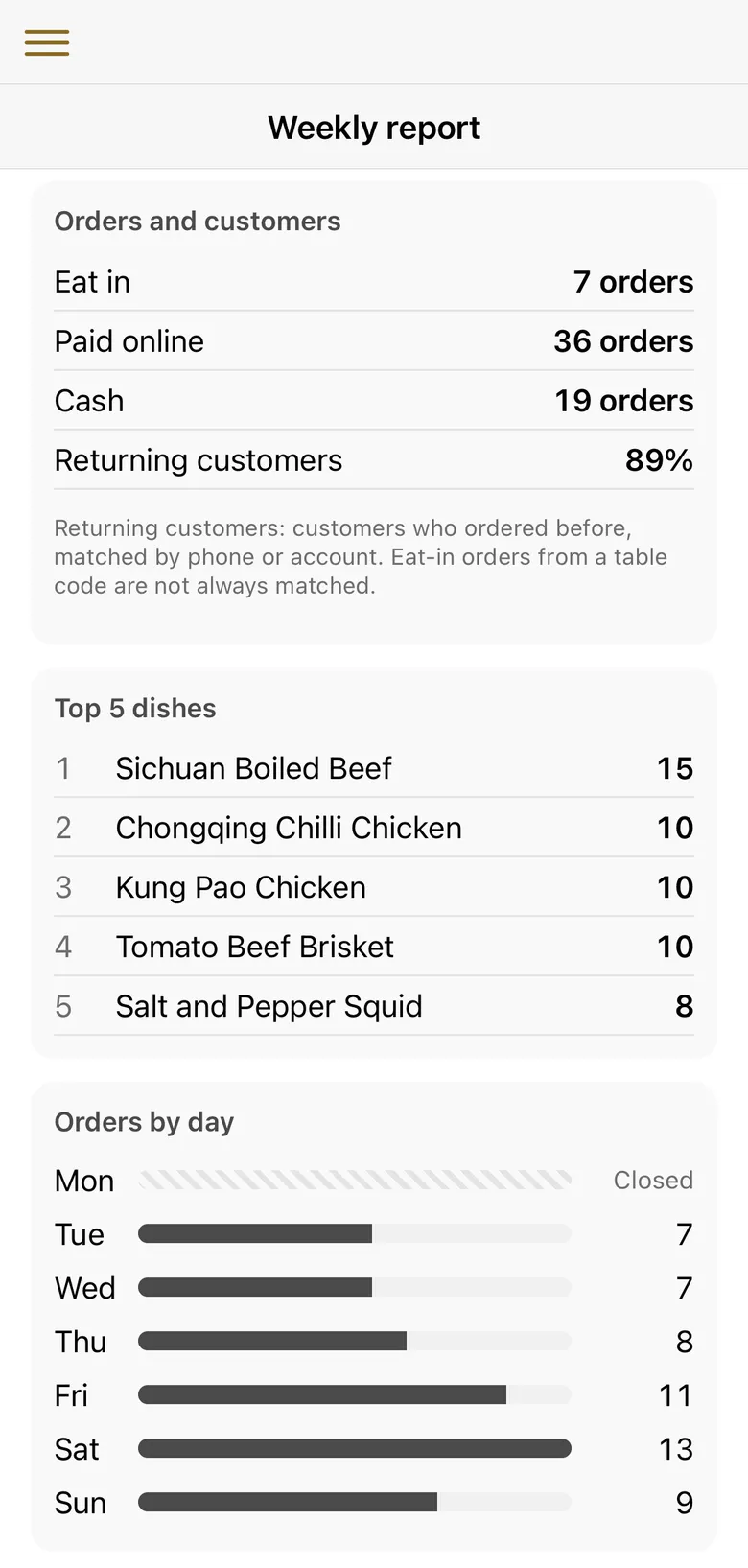
Every Monday morning a report on last week is ready in your admin. It shows:
If you give me access to your Google Business Profile, I add your DingOrder website as an ordering link and set it as your preferred way to order, for collection, delivery or both. Google may still list other ordering services for your shop, such as apps you're on. To do it yourself, or to remove an old link, follow the step-by-step guide to your ordering link on Google.
Each shop's website has a privacy notice page for its customers. It's a starting point: read it and check it fits your shop before you rely on it. As the shop owner, you're responsible for what it tells your customers.
These three solve different problems. The rows below are the ones that matter most when you choose.
Swipe the table sideways to see every column.
| Option | Marketplace app | EPOS package with online ordering | Your own ordering website (DingOrder) |
|---|---|---|---|
| What you pay | Commission on each order. The published UK rates I checked were 13% to 33% before VAT (33% is Uber Eats' rate for Uber One members' orders when Uber delivers). Sources: Just Eat's partner page and Uber Eats' UK pricing page, checked 13 October 2026. Work out yours in the commission calculator. | Depends on the provider: usually a monthly fee, often with hardware. | £59 a month plus a one-off £199 (kitchen printer and setup), no commission per order. Stripe's card fee on card payments. |
| New customers | The app lists you to its own customers. | Not usually. | No. It's for customers who already know you. |
| Delivery drivers | Available from the app, at a higher commission. | Depends on the provider. | No. You deliver with your own staff. |
| Till and card machine | No. | Yes. | No. Keep your till. |
| Admin and kitchen tickets | Depends on the app and your printer. | Depends on the provider. | In English or Chinese. |
Tell me what your shop needs. What shops ask for decides what I add to DingOrder next. I don't promise a date, and before you start I look at your menu and tell you honestly whether DingOrder fits your shop as it is today. What has changed so far, with dates.
DingOrder's ordering website, payments, tickets and admin don't depend on what you cook. Tickets and the admin come in English or Chinese.
Pages for pizza and kebab shops, Indian takeaways and fish and chip shops.
No. DingOrder customers order in their phone's browser.
Yes. DingOrder works on your own domain if you want one, but you don't need one: every shop gets an address, yourshop.web.app, as part of the monthly price. If you'd rather use your own domain, you register it in your own name and pay the domain company; I tell you exactly what to add there.
DingOrder can't tell, and won't warn you. Keep the today's-orders page open during service: every order shows there whether it printed or not. Once the printer is back, press Print on each order that didn't come out. You can reprint while the order is still on today's orders; an order still open 45 minutes after it was placed is marked completed automatically (the check runs hourly from 11am to 11pm) and can't be reprinted after that, but you can still read it. If it still won't print, message me. I'll deal with it during my service hours.
No. No ordering system, DingOrder included, can do that for you. DingOrder gives you an allergen page and tags that only appear once you've confirmed a dish. Whether the information is right is down to you checking each dish.
Link won't open inside WeChat? Tap "···" at the top right and choose "Open in browser", or save the number.
Last updated: